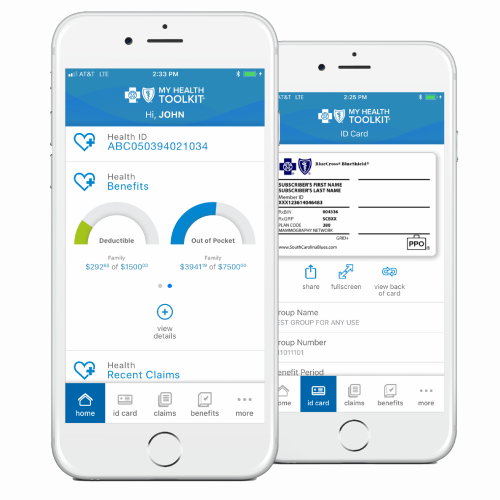
My Health Toolkit® links you with all the tools you need to manage your benefits. It’s your single secure source for information about your specific insurance plan. You can access My Health Toolkit using a laptop, desktop computer or your phone. Use My Health Toolkit for easy access to information about your benefits, including:
A digital copy of your member ID card.
Ways to find a network doctor or health care facility.
Details about your medical claims.
What your health plan covers.
Your annual deductible/out-of-pocket max (in real time).
Health and wellness resources.
Assistance through Ask Customer Service.
Sign Up and Sign In
Register at www.SouthCarolinaBlues.com or download the My Health Toolkit app. Select Create An Account (or Sign Up, on the app), and you’ll be prompted to enter information to complete your registration.
Connect Your Way
Be sure to tell BlueCross BlueShield of South Carolina the best way to reach you when there’s info to share. Log in to your My Health Toolkit account. In My Profile, select My Account, then Contact Preferences. On the app, select My Profile, then Contact Preferences.
Download the My Health Toolkit app
With the My Health Toolkit mobile app, you’ll always have your benefits information with you. To download this free app, search for My Health Toolkit in the App Store or Google Play.
Once you download the app, simply use the same username and password as you do to login through the website.